

 日本語
日本語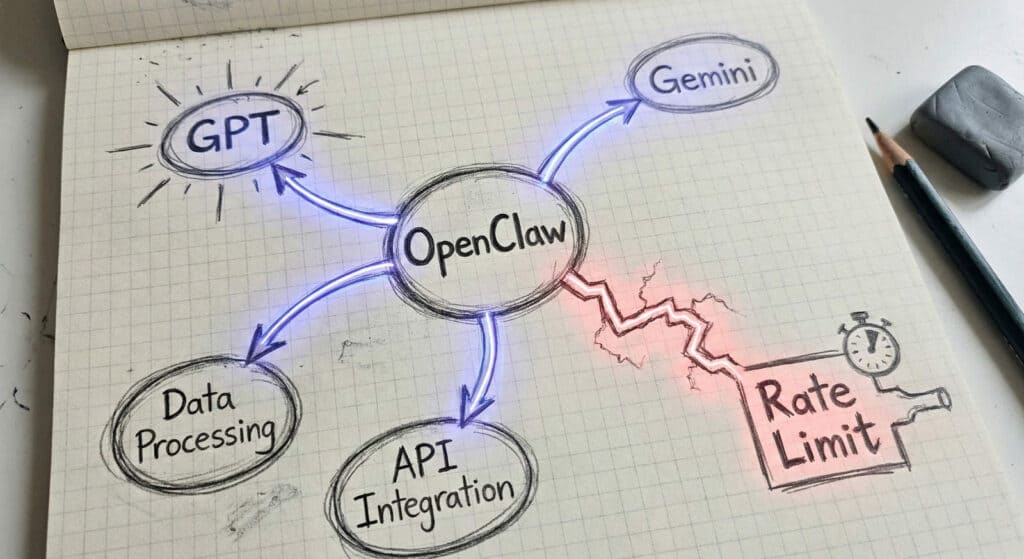
The first article in this series captured the initial experience of OpenClaw — the surprise of AI embedding into Slack rather than sitting at a separate URL, the departure from the prompt-and-response model most people associate with AI tools. That impression landed clearly. The next question was practical: how do you actually get it running, and what do you encounter once you do?
OpenClaw Is Not the Brain — It’s the Hub
The first thing to understand before touching the configuration: OpenClaw itself is not a large language model. It is a hub — a platform that connects to whichever LLMs you choose (GPT, Gemini, Claude, and others) and routes tasks accordingly. Which model handles conversation, which handles background processing, how much access each component gets — all of this is a design decision left to the operator. This is different from most AI tools Japanese organizations have encountered, where the “intelligence” is packaged and delivered as a complete service. OpenClaw gives you the chassis and asks you to build the engine configuration yourself.
Installation on a Mac mini (M4) via npm was straightforward. The complexity begins immediately after, when the system asks: which model?
Start With No Skills — Deliberately
OpenClaw can connect to Slack, Gmail, browser sessions, and more — but only if you grant that access. The deliberate choice here was to add no skills at the outset. The reasoning: granting permissions before fully understanding the system’s behavior is exactly the kind of decision that creates problems downstream. The safer path — verify core function first, expand access incrementally — is not unique to AI agents. It is how well-run systems deployments tend to go. Japanese enterprises, with their instinct toward careful change management, are well positioned to apply this discipline. Many Western deployments skip it in the rush to demonstrate value quickly.
The Key Discovery: One LLM Is Not Enough
Initial connection was via OpenAI OAuth, with ChatGPT Codex 5.2 selected for conversation. That part proceeded without friction. What surfaced shortly after was more interesting: OpenClaw separates the LLM used for conversation from the LLM used to index and organize memory. These are distinct processes with distinct computational requirements, and they can be — and should be — handled by different models.
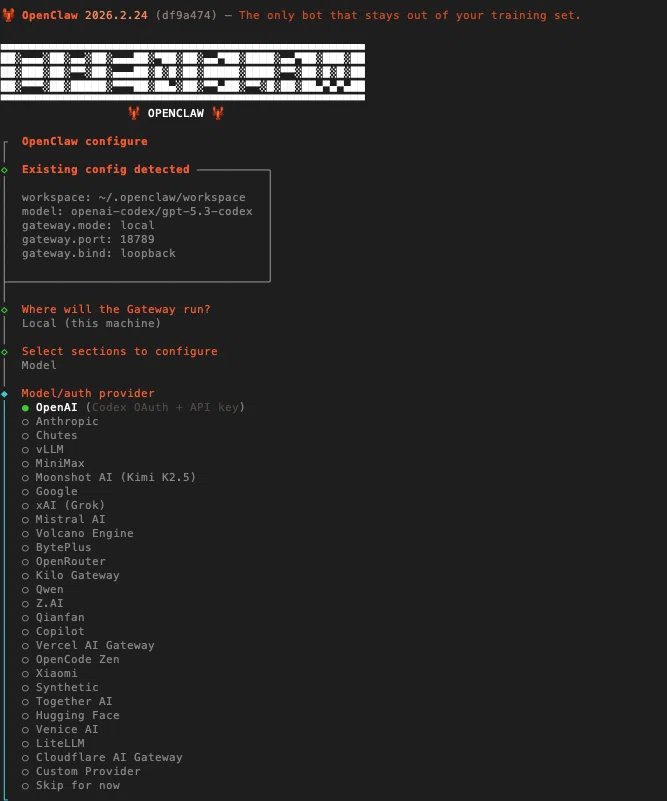
Memory indexing (the process of organizing accumulated conversation records so they can be retrieved later) was assigned to Google Gemini Flash. Lightweight, low-latency, suited to a task that values throughput over depth. The heavier reasoning stays with the conversation model. Once this separation became clear, the design picture sharpened considerably. The persona file — an editable markdown document — is where you define what gets recorded and how. Setting a nightly 5 AM indexing schedule concentrates computational load during a quiet window. These are not complicated decisions, but they require understanding the architecture before making them.
The Rate Limit Wall — and the Billing Misunderstanding
Once configuration was complete and real tasks began, the system returned an error: run error: ⚠ API rate limit reached. OAuth-connected sessions hit rate limits faster than expected, particularly when browser-based operations were involved. This is a known constraint — the question is what to do about it.

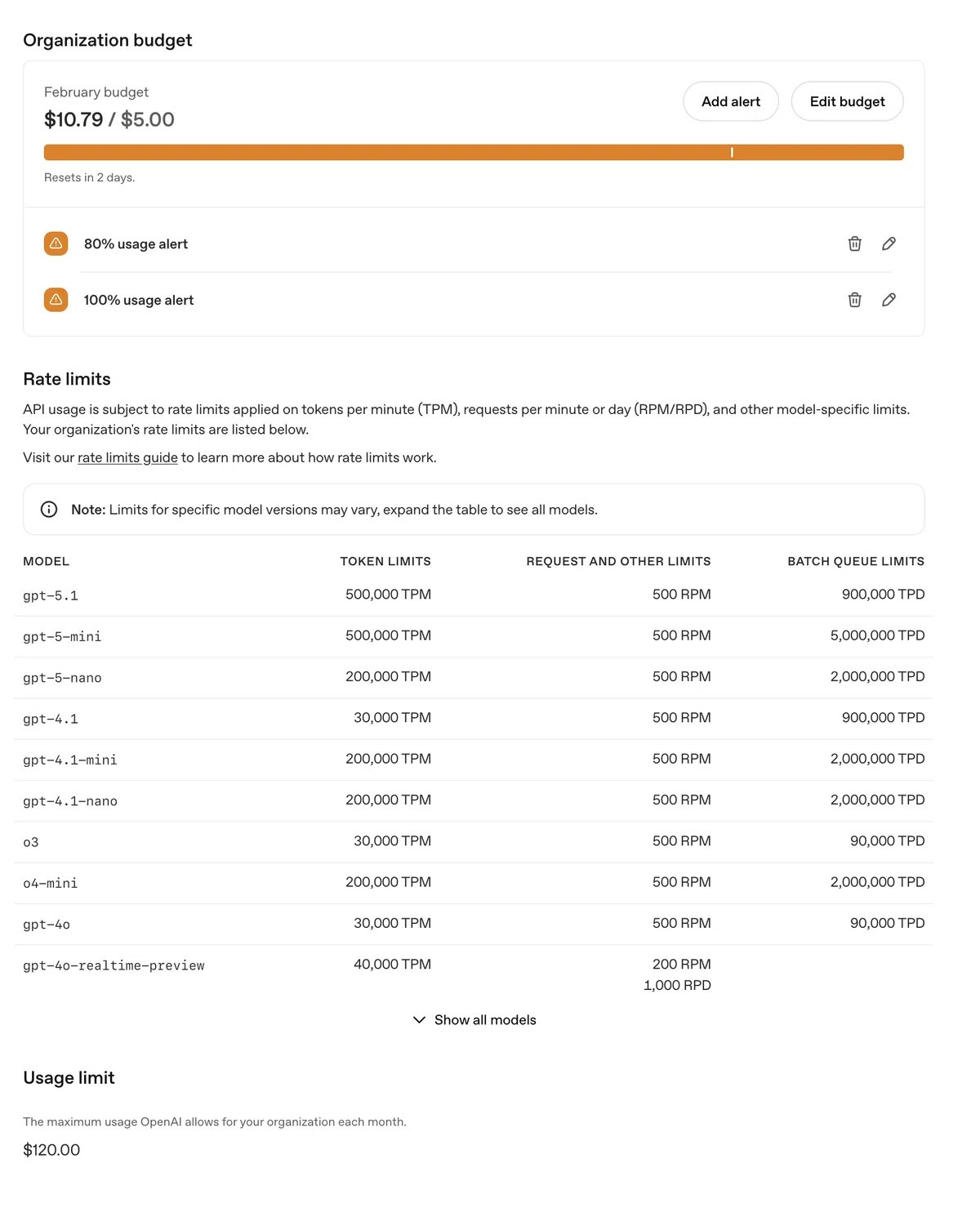
The transition to direct API access surfaces a billing confusion worth flagging explicitly: ChatGPT Plus and OpenAI’s API are entirely separate billing systems. A ChatGPT Plus subscription does not provide API access. The API requires a separate credit balance, charged per token. Initial setup: $5 of credit, auto-refill disabled. The auto-refill setting matters — with it on, an aggressive agent running browser tasks could accumulate charges silently. With it off, the ceiling is known and enforced. For organizations evaluating this seriously, that kind of explicit cost boundary is not optional.
Next: Slack Integration and Browser Automation
This installment covered what happens between installation and first real use — the model selection decisions, the memory architecture, and the rate limit reality. The next article addresses what happens when you connect OpenClaw to Slack and give it a browser: what it can do, what it cannot yet do, and where the line between useful and uncomfortable begins to appear. Silicon Valley Japan Lab will continue tracking these developments and what they mean for organizations on both sides of the Pacific.
Shinya Fujimoto holds degrees in Electrical & Computer Engineering and Computer Science from Carnegie Mellon University. He began his career as a semiconductor design engineer at LSI Logic, working across Japan and the U.S. He has since built and operated businesses across multiple industries on both sides of the Pacific — a design gifts company that reached 600+ U.S. retail locations including MoMA, a Japanese restaurant brand’s first U.S. outpost in California, DX initiatives at a major Japanese insurance group, and a CTO role at a WPP-group agency. In 2025, he founded Silicon Valley Japan Lab to bridge what is happening at the frontier of Silicon Valley with what Japanese organizations need to act on it.